Mobile vs desktop login: common problems and quick fixes


Brands relying on digital platforms are always trying to improve the integration between desktop and mobile devices. Ideally, users should experience seamless navigation in both options, but not only so. One’s input must be immediately updated in the other, which is technologically trickier than it seems. It goes for actions, exchanged information, layouts, and logins.
However, the mobile and desktop experiences aren’t always in tune, and issues like mismatched passwords across different devices occur way more often than they should. It can be a real problem for users who need ready access to bank accounts, emails, and other online platforms on their smartphones; even more so if there isn’t a desktop around. Here are some common issues regarding login issues and how to troubleshoot them.
Login Security and Privacy Concerns
The login page is the entrance gate for any online platform, and it’s also where cybercrimes abound. Considering that hackers mostly want to invade their victims’ accounts, they first must go through this page before getting what they want. That’s why top-notch websites like Dafabet Registration only recommend the most secure gaming platforms.
Here are some of the dangers at online platforms’ doorsteps:
- Credential stuffing
- Phishing
- Brute force attack
- Session hijacking
The level of security is needed for mobile or desktop login pages. Above all, such pages must be encrypted to prevent credential theft. The most common protocols used today are HTTPS (Hypertext Transfer Protocol Secure), AES (Advanced Encryption Standard), SSL (Secure Socket Layer), and TLS (Transport Layer Security).
Mobile Checklist
Some users may find it difficult to log in to a mobile app that’s normally accessed via desktops. It may happen for a number of reasons. For instance, if the platform recognises the user is trying to log in via an unusual device, it can flag it as an invasion attempt, request additional information, and even block access altogether. If it’s an app, instead of a web-based platform, it may be necessary to update it, or in worst cases, reinstall it.


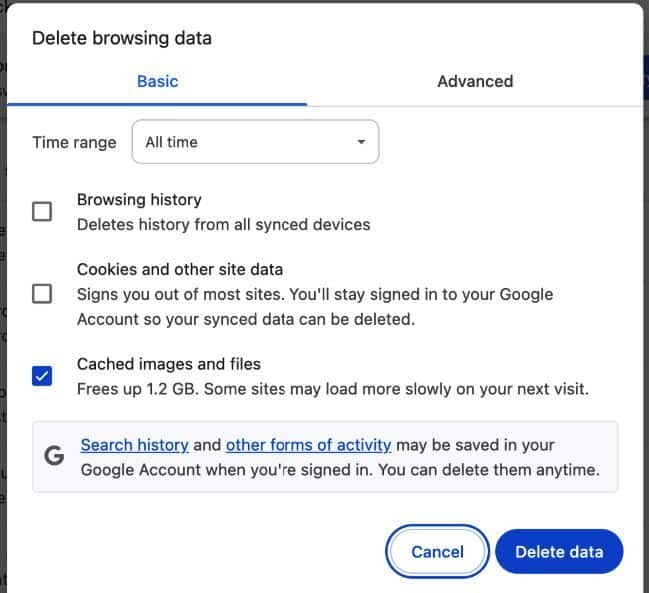
Some apps can also have restrictions against public Wi-Fi hotspots, which is why users are also advised to try it with mobile data only. However, login errors can be reduced by clearing the cache to weed out corrupted data and prevent glitches on the website. It’s also advisable to disable autocorrect options or, at least, double-check password spelling before submitting.
Desktop Checklist
According to a popular joke among IT professionals, most bugs and issues can be fixed simply by resetting the device. Like any good joke, this one bears a fair share of reality, and restarting the device can indeed fix temporary errors, according to Microsoft Support. Browser extensions can also block access to specific websites, in which case users can try to access them via a private/incognito window.
Sometimes, login denials happen because of incorrect dates and times on the device. Desktop firewalls can be picky regarding website security, denying access to most of them until the user liberates each one. So, if the password is correct and the software is updated, disable the firewall and try again.
Latest Thailand News

























Follow The Thaiger on Google News: